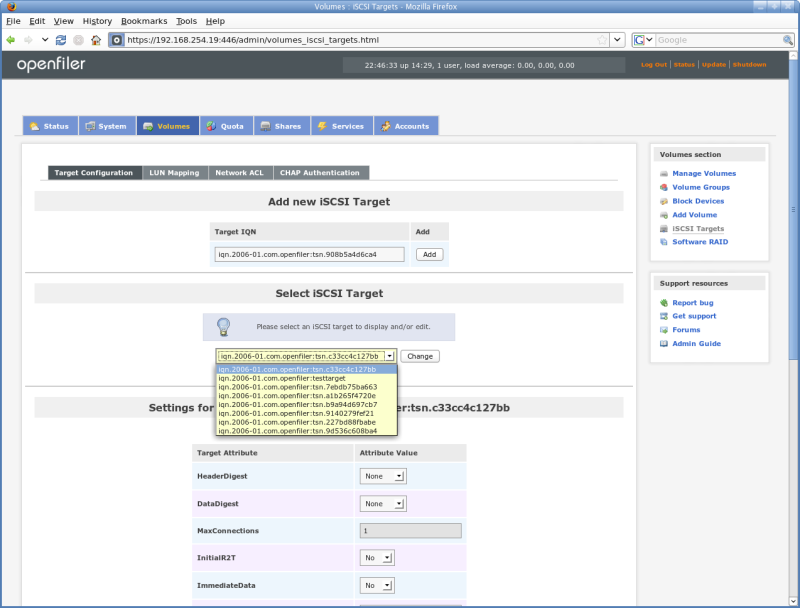
Openfiler supports multiple iSCSI targets. Each target can have multiple LUNs exported. This screenshot shows the target selection of already configured targets. A target can be reconfigured on the fly without affecting I/O.
iSCSI: Target Options
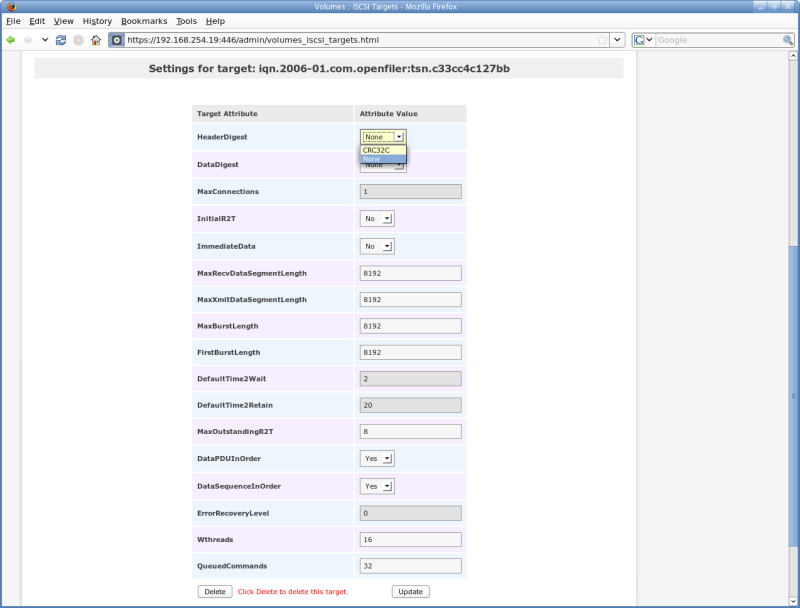
This screenshot shows all iSCSI target configuration options. It also depicts settings for mapping and unmapping LUNs for the target.
iSCSI: LUN Mapping, Host ACL
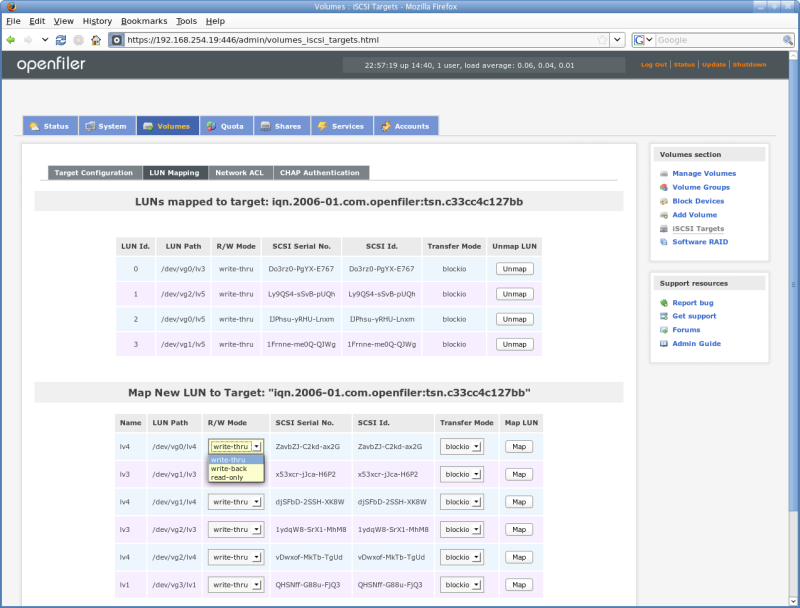
This screenshot depicts the LUN mapping configuration settings. An existing logical volume is mapped to the selected target with the option to choose write mode and I/O transfer type.
iSCSI: CHAP configuration
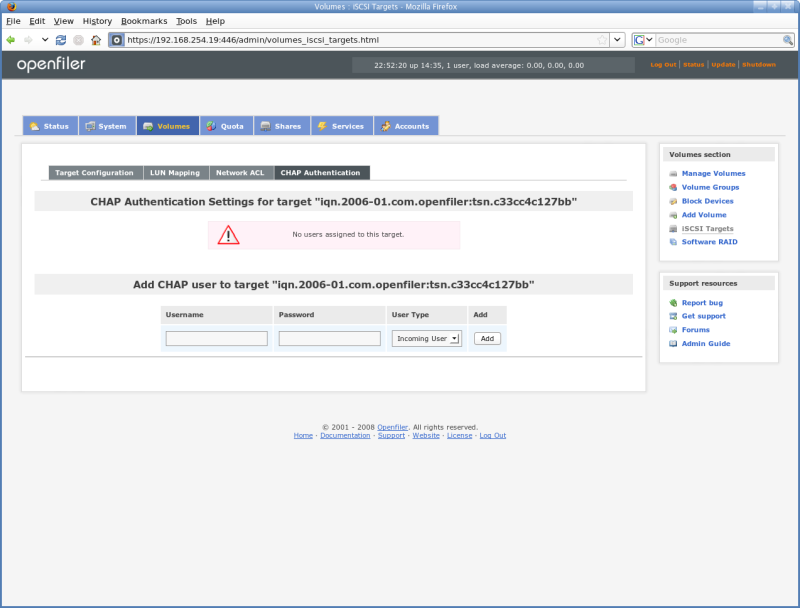
Openfiler support iSCSI CHAP authentication for initiators and targets. This screenshot shows the form options for adding new CHAP accounts. A different section of the interface allows for target portal CHAP settings.
Shares: rsync options
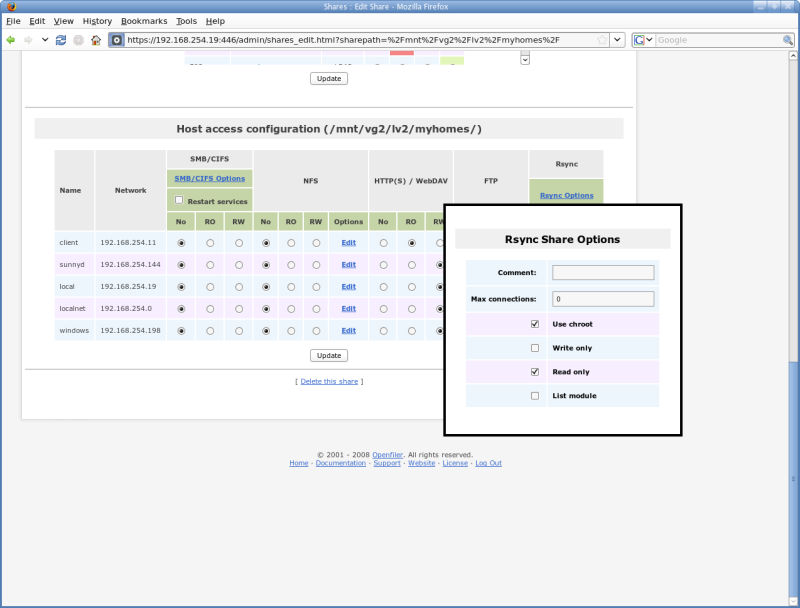
In the unified share management screen, each protocol has a sub-configuration screen to further customize settings. This screenshot shows rsync settings for a share.
Shares: SMB/CIFS options
Administrators will appreciate the ability to further tune settings for SMB/CIFS exports of a share path. Default per-share SMB/CIFS settings are suitable for most environments.
iSCSI: Network ACL
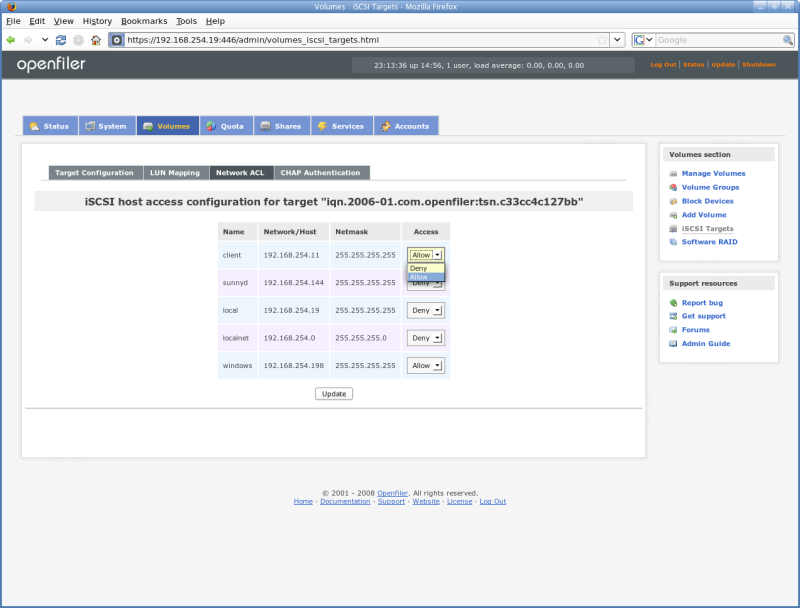
This screenshot shows network ACL configuration for the iSCSI target. Access to a target can be restricted by initiator IP address.
Shares: NFS Options
Each client or network accessing the share via NFS protocol can be configured with the full array of NFS mount options. The administrator can assign anonymous UID/GID, sync or async mode etc.
Shares: User & Group ACLs
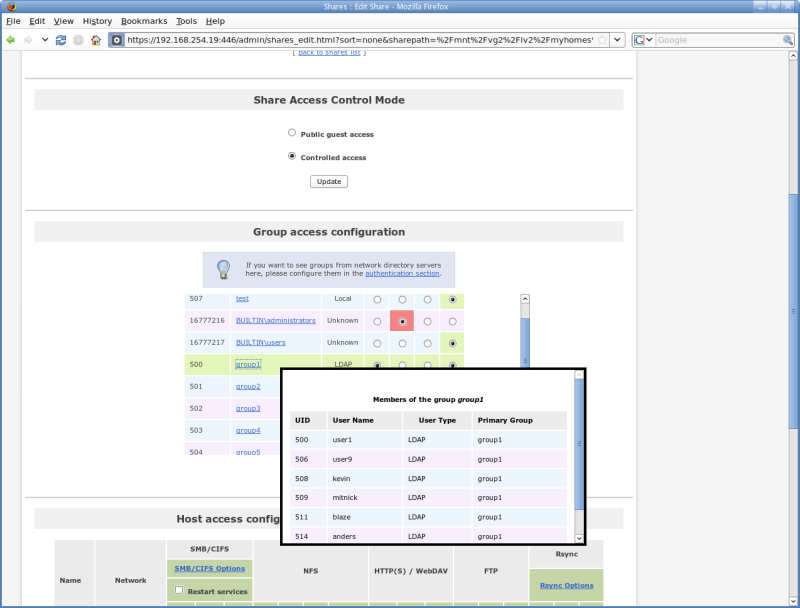
File-based share protocols such as NFS, CIFS and HTTP use the on-filesytem access control iists to authorize access to data. The administrator can assign individual groups Read-Only (RO), Read-Write (RW) or No access to the share based on security policy.
Shares: Edit Options
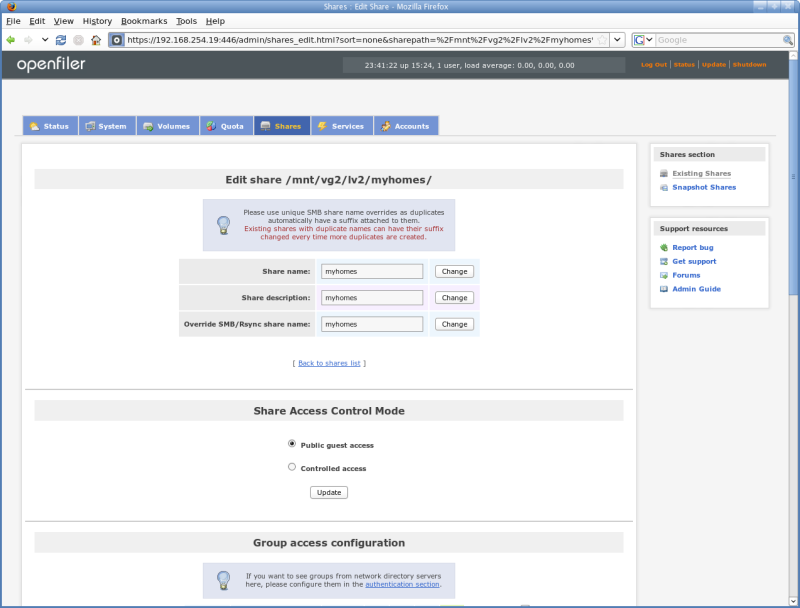
Set the general options for a share, such as its export name and whether the desire is to use guest access mode (no authentication required) or controlled access mode (authentication and individual authorization required).
Services: Edit iSCSI Target Options
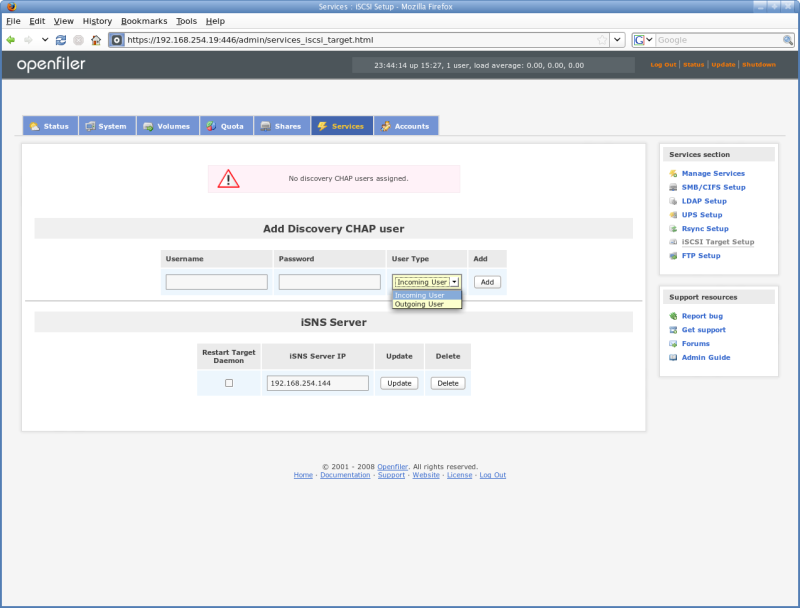
Global options for the iSCSI target include setting a discovery CHAP username and password as well as configuring an iSNS server to register the target.
Accounts: Select and Configure Authentication
Openfiler support multiple authentication mechanisms for access to file-level share protocols. LDAP, Activice Directory and Windows NT PDC support is available for user authentication.
Accounts: Windows Authentication
Configure authentication against Windows Active Directory or PDC. UID/GID synchronization, to support a single user/group namespace across multiple Openfiler instances is supported using LDAP as a backend storage mechanism.
Status: System Information
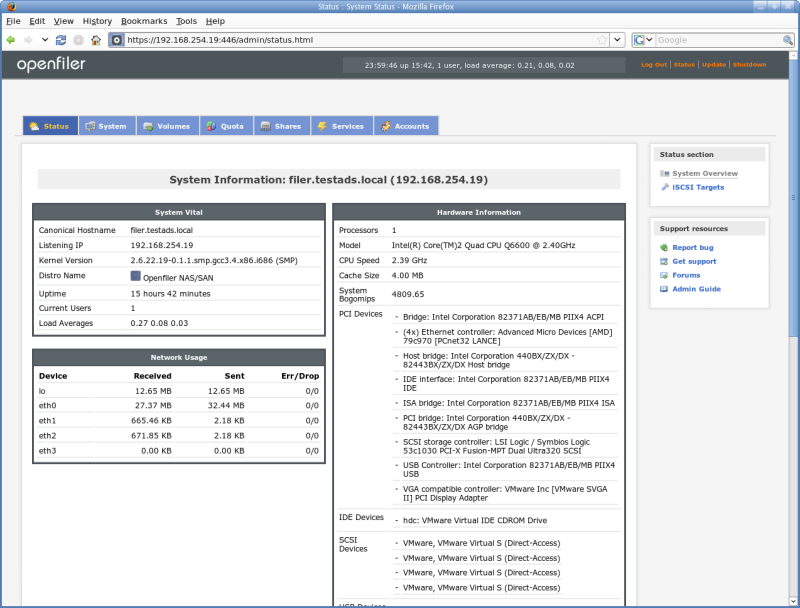
An overview of the current system state is displayed in the status section. Network, CPU, memory and disk usage information are available.
Volumes: Snapshot Management
Openfiler supports snapshots of filesystems and iSCSI exports. The administrator can create scheduled or ad-hoc snapshots and is provided with a means to manage the snapshot system via the intuitive GUI.
Volumes: Block Devices
Openfiler supports different types of block devices. From plain SAS/SATA disks to hardware RAID backed arrays. Each block device is represented in the Block Devices section and can be partitioned and exported to the higher-level volume manager.
Volumes: Block Device Partitions
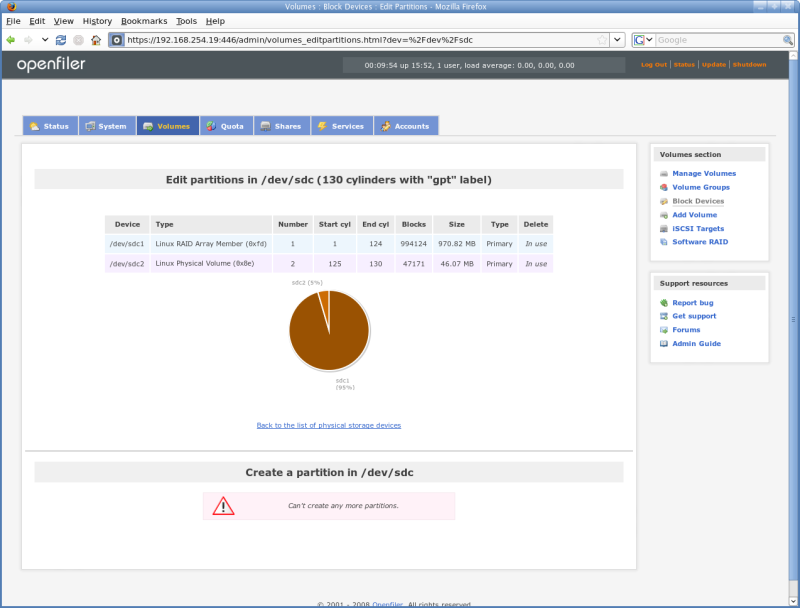
Each block device can be partitioned into multiple slices and allocated to different volume groups or deployed as software RAID array members.
Volumes: Manage Software RAID
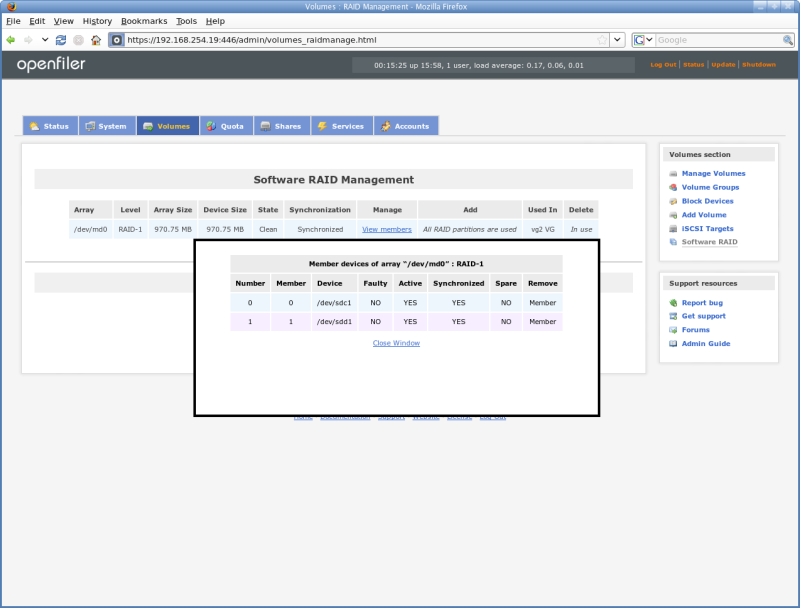
In addition to support for hardware RAID arrays, software RAID volumes of free-floating disks can be created. The administrator can create and manage arrays at levels 0,1,4,5,6 and 10.
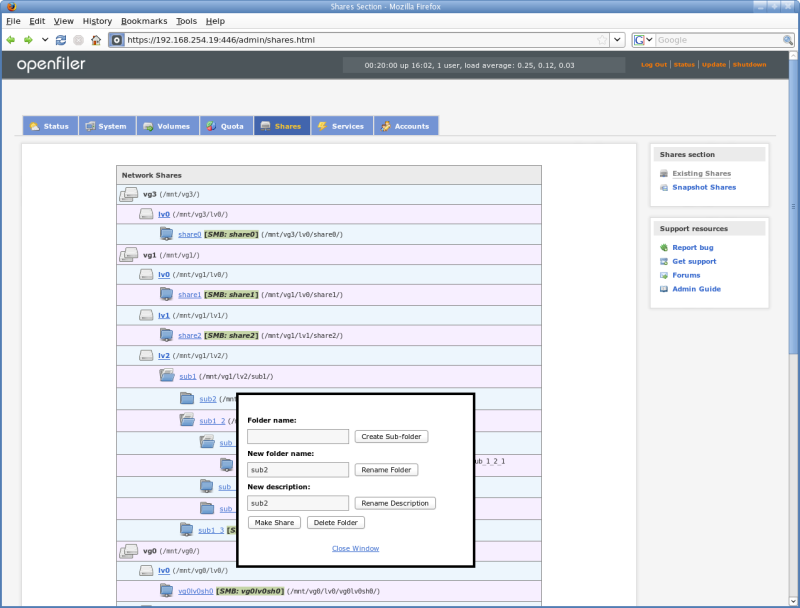
Shares: Folder Management
Each share is a leaf node of a volume which itself is a branch node of a volume group. The volume branch can have multiple leaf nodes (share folders or shares).